
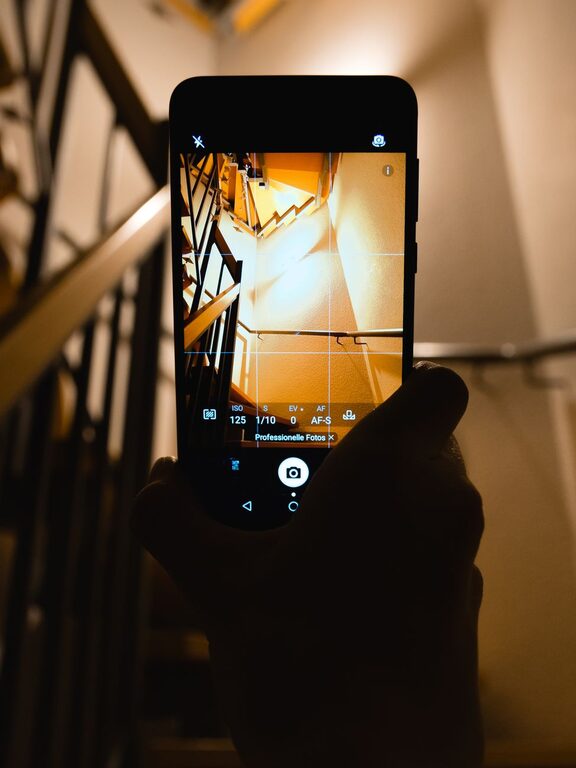
Your phone is a powerful camera that is always close at hand. You do not need expensive equipment or advanced skills to take better photos. A few simple habits can make a noticeable difference in the quality, clarity, and mood of your pictures.
Whether you are photographing people, food, travel scenes, or everyday moments, these beginner-friendly tips will help you get more from your phone camera.
Start With a Clean Lens
One of the easiest ways to improve a phone photo is to clean the camera lens before taking a picture. The lens can collect fingerprints, dust, and marks from being carried in a pocket or bag. Even a small smudge can make an image look hazy or reduce contrast.
Use a soft, clean cloth to gently wipe the lens. Avoid rough materials that could scratch the surface. Make lens cleaning a quick habit, especially before taking important photos.
Pay Attention to Light
Light has a major effect on how a photo looks. Good lighting can make colors appear richer and details look sharper, while poor lighting may create harsh shadows or blurry images.
Use Natural Light
Whenever possible, use natural light from a window or take photos outdoors. Soft daylight often produces more pleasing results than a bright overhead lamp.
For indoor photos, place your subject near a window. Turn the subject slightly toward the light instead of positioning the window directly behind them. This can brighten the subject and reveal more detail.
Avoid Harsh Midday Sun
Direct sunlight can create strong shadows and very bright highlights. If you are taking photos outdoors, try shooting in the morning, late afternoon, or on a lightly cloudy day. These conditions often provide softer, more even light.
If you must take a photo in bright sun, look for open shade under a tree, building, or covered area.
Watch the Background
A bright window, lamp, or patch of sunlight behind your subject can distract from the main focus. Before pressing the shutter, check what is behind and around your subject. A small change in position can create a much cleaner image.
Keep Your Phone Steady
A steady phone helps produce sharper photos, especially in dim lighting. Hold the phone with both hands and keep your elbows close to your body. You can also lean against a wall or rest your phone on a stable surface.
When taking a photo, press the shutter button gently rather than tapping forcefully. Many phones also let you use the volume button as a shutter, which can make it easier to hold the phone securely.
If your phone has a timer, use it for photos that require extra stability. A short timer gives you time to position the phone without touching it during the exposure.
Improve Your Composition
Composition is the way visual elements are arranged in a photo. You do not need to follow complicated rules, but a few basic techniques can help your images feel more balanced.
Try the Rule of Thirds
Many phone camera apps offer a grid overlay. Turn it on in the camera settings and use the lines to help position your subject.
The rule of thirds suggests placing the main subject along one of the grid lines or near an intersection. This can create a more natural and interesting composition than placing everything directly in the center.
The grid is only a guide, so feel free to ignore it when a centered composition works better.
Look for Leading Lines
Lines can guide the viewer’s eyes through a photo. Roads, fences, railings, paths, and rows of trees can all create leading lines.
Before taking a picture, look for lines that point toward your subject or add depth. This technique can make a simple scene feel more organized and engaging.
Leave Some Empty Space
Empty space, sometimes called negative space, can help your subject stand out. A clear sky, plain wall, or open area can give the image room to breathe.
This approach works especially well for portraits, objects, and photos intended for social media or text overlays.
Tap to Focus and Adjust Brightness
Your phone usually focuses on the area you tap on the screen. Tap the main subject before taking the photo to make sure it is sharp.
Most camera apps also let you adjust brightness by sliding your finger up or down after tapping. If the image looks too dark, raise the brightness slightly. If bright areas look washed out, lower it.
Try not to increase brightness too much. A small adjustment is often enough, and extreme changes can remove detail from the photo.
Choose the Right Camera Mode
Phone cameras often include several modes, such as portrait, night, panorama, and wide angle. Use them when they suit the scene, but do not feel that you need a special mode for every photo.
Portrait Mode
Portrait mode can blur the background and make a person or object stand out. It generally works best when the subject is well lit and separated from the background.
Check the edges of the subject before taking the photo. Hair, glasses, plants, and other fine details may sometimes look unusual when the background blur is added.
Night Mode
Night mode can brighten darker scenes, but it often requires you to keep the phone still for a few seconds. Hold the phone steady and avoid moving subjects when possible.
Instead of using night mode in every dark situation, look for a nearby light source that can add shape and detail to the scene.
Wide Angle
A wide-angle camera can fit more into the frame, making it useful for landscapes, rooms, and buildings. However, it may stretch objects near the edges. Keep important subjects away from the outer edges when possible.
Move Your Feet
Digital zoom can make photos look soft or pixelated. Rather than zooming in immediately, move closer to your subject if it is safe and practical.
Changing your position can also improve the composition. Try taking the same scene from eye level, a lower angle, or a higher viewpoint. Small changes in perspective can make an ordinary photo more interesting.
For close-up images, move slowly and check that the camera can focus. If the subject is too close, the photo may become blurry.
Take More Than One Photo
A single moment can change quickly, especially when photographing people, pets, or moving subjects. Take several photos instead of relying on one attempt.
Afterward, review the images and choose the sharpest one with the best expression, position, or background. If your phone has a burst or motion capture feature, it may help with fast-moving subjects.
Remember to delete unwanted images occasionally so your photo library stays organized.
Edit With a Light Touch
Editing can improve a good photo, but it cannot fully fix a blurry or poorly composed image. Start with small adjustments to brightness, contrast, color, and cropping.
Useful beginner edits include:
– Straightening a tilted horizon
– Cropping out distractions
– Slightly brightening a dark subject
– Adjusting contrast to add definition
– Reducing highlights in very bright areas
– Adding a small amount of sharpness
Avoid applying strong filters to every photo. Natural-looking edits usually keep the image more flexible and timeless. Save the original version before making major changes so you can return to it later.
Practice With Everyday Subjects
You do not need a special trip or event to practice photography. Try taking photos of ordinary subjects around your home or neighborhood.
Practice with:
– A cup of coffee near a window
– A plant with an uncluttered background
– A pet in soft light
– Interesting shapes and shadows
– A familiar street from a new angle
– Food arranged on a simple surface
After each photo, ask yourself what works and what could be improved. Look at the light, background, focus, and framing. This simple review process will help you recognize patterns and build confidence.
Develop Your Own Style
Technical tips are useful, but photography is also about noticing what interests you. You may prefer bright colors, quiet scenes, close-up details, people, architecture, or nature.
Take time to explore different subjects and approaches. As you practice, you will learn which lighting, angles, and compositions match your personal taste.
Better phone photography comes from paying attention to simple details. Clean the lens, find good light, hold the phone steady, compose carefully, and edit gently. With regular practice, you can create clearer and more memorable photos using the phone you already have.
About the Author